About this game
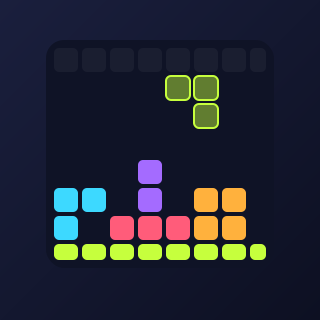
Grid Blocks is a block puzzle with no timer and no rush. You get three pieces at a time and place them on an 8×8 grid. Every time you fill a complete row or column, it disappears and frees up space. Clear several lines at once for big combos. The game ends when none of your pieces can fit anywhere.
How to play
- Drag one of the three pieces from the tray onto the board, or tap a piece and then tap the board.
- Pieces cannot be rotated, so plan where each shape will fit.
- Fill a whole row or column to clear it and score bonus points.
- Clearing several lines with one piece scores much more than clearing them one by one.
- When all three pieces are used you get three new ones. The game ends when no piece fits.
Controls
| Keyboard | Keys 1-3 pick a piece, arrows move it, Enter places it |
|---|---|
| Touch | Drag a piece onto the board, or tap a piece then tap the board |
| Mouse | Drag a piece onto the board |
| Pause | P key or the pause button |
Tips
- Keep the board as open as possible. A cluttered board is the fastest way to lose.
- Look at all three pieces before you place the first one, and plan the order.
- Leave a gap for long pieces. A single free row or column keeps you safe.
- Build almost-full lines and complete several at once with one piece for big combos.
- Do not leave single isolated empty squares. They are hard to fill later.
FAQ
Is Grid Blocks free?
Yes. Grid Blocks is free to play in your browser, with no download and no account.
Can I rotate the pieces?
No. Pieces keep their shape, which is what makes planning important.
How do I play with a keyboard?
Press 1, 2 or 3 to pick a piece, move it with the arrow keys and press Enter or Space to place it.
Can the game give me pieces that cannot fit?
Each new set always contains at least one piece that fits, but the game can still end if you fill the board badly.
Is my best score saved?
Your best score is saved on your device, in your browser. It is not sent to any server.